


The modern work-from-home lifestyle has changed the way millions of people use their bodies. Without the natural movement breaks that come from commuting, walking between meetings, or even chatting at a colleague’s desk, many remote workers spend six to nine hours a day in nearly stationary positions, typing and clicking their way through an endless stream of tasks.
This sedentary pattern is well-documented as a contributor to back and neck tension, but what receives far less attention is what it does to your hands. Hours of continuous typing, mouse use, and phone interaction create a build-up of muscular and tendon tension in the hands that, without proper care, gradually leads to stiffness, discomfort, and reduced hand function.
A smart hand massager is one of the most practical wellness tools a remote worker can invest in. In this article, we explore how this device fits into a work-from-home routine, what it actually does for tired hands, and how to get the most out of it during a busy workday.
The Work-from-Home Hand Problem Nobody Talks About
When you are in an office, there are natural interruptions to your computer use: walking to the printer, making coffee, having conversations in the hallway. These brief breaks, however minor, give the hands a rest from the repetitive patterns of typing and clicking. At home, these interruptions often disappear entirely, replaced by back-to-back video calls and screen time that can stretch uninterrupted for hours.
The muscles and tendons of the hand are not designed for continuous, unvaried use. They respond well to varied movement and poorly to repetitive strain without recovery. Over time, remote workers often notice persistent tightness in the finger joints, a sensation of heaviness in the forearms, and stiffness that takes longer and longer to ease in the mornings.
The solution is not to stop working. It is to build intentional recovery into the workday. A smart hand massager makes this remarkably easy.
What the SHMASSAGER Smart Hand Massager Offers Remote Workers
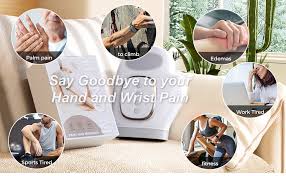
Designed for convenience and effectiveness, the Smart Hand Massager from SHMASSAGER fits seamlessly into the work-from-home routine. Its cordless design means there are no wires to manage and no need to sit near a power outlet during your session. The 15-minute auto timer creates a built-in break structure that aligns perfectly with recommended screen time guidelines.
During a video call where your camera is off, during a lunch break, or between focused work blocks, you simply slip your hand inside the glove-style massager, choose your preferred setting, and let it work. The gentle airbag compression and soothing heat deliver a complete hand massage without requiring any physical effort or attention from you.
The Science of Compression Massage for Typing Hands
When you type, your finger flexor tendons repeatedly contract and release as each key is pressed. Over a long typing session, these tendons and the muscles that control them can become persistently contracted, contributing to the feeling of stiffness and tightness. Compression massage addresses this by applying rhythmic external pressure that effectively assists the tissues in returning to a relaxed state.
The airbag compression in a quality smart hand massager creates a squeezing and releasing pattern that mimics the techniques used in manual massage therapy. The 13 TPU airbags in the SHMASSAGER cover the fingers, palm, and wrist comprehensively, ensuring that the entire hand benefits from the session rather than just the most accessible surfaces.
Heat as a Productivity Tool
This might sound counterintuitive, but the heat function in a smart hand massager can actually support productivity rather than just relaxation. Cold, stiff hands are slower hands. When the soft tissue of the hand is warm and relaxed, fine motor control is improved and movement feels more fluid and natural.
Using the heat setting during a short break in the middle of the workday can help your hands feel more responsive and comfortable when you return to typing. It is a bit like warming up before exercise: preparing the tissue for the demands you are about to place on it improves both performance and comfort.
Setting Up a Smart Break Schedule Around Your Massager
The most effective way to use a smart hand massager in a work-from-home context is to build it into a deliberate break schedule. Research on cognitive performance consistently shows that short, regular breaks improve both focus and output compared to pushing through long uninterrupted sessions. Pairing a break with a structured hand massage creates a double benefit: mental recovery and physical recovery happen simultaneously.
A simple framework: take a 15-minute hand massage break once in the mid-morning and once in the mid-afternoon. This creates natural work blocks of roughly two hours, which aligns well with most people’s natural focus and energy rhythms. During each break, set the massager running and step away from your screen entirely. The combination of physical relief and a genuine cognitive break will leave you noticeably refreshed for the session ahead.
Gamers Working from Home: Double the Demand on Your Hands
For those who both work from home and game in their leisure time, the hands are effectively on duty from morning until night. Gaming places unique demands on the thumbs in particular, with sustained pressure on the analog sticks and rapid button inputs that engage the finger flexors and extensors in patterns very different from typing.
The result is that gaming hands are often even more fatigued than typing hands, and the combination of work and gaming without structured recovery can contribute to persistent tightness that affects both activities. A smart hand massager used after the workday and again after a gaming session gives the hands two targeted recovery windows that can significantly improve how they feel and perform over time.
Choosing the Right Settings for Your Specific Situation
One of the practical advantages of a smart hand massager with multiple modes and intensity levels is the ability to match the session to what your hands need in the moment. Here is a simple guide to settings for different situations.
• After a heavy typing day: Medium to high intensity with the heat function active at a comfortable temperature
• During a midday break: Low to medium intensity, heat on, as a gentle restorative session before returning to work
• After gaming: Medium intensity without heat initially, then transitioning to heat for the final five minutes
• Before sleep: Low intensity, gentle heat, to transition from the stimulation of screen use to a calmer physical state
Consistency Is the Key
Like most wellness practices, the benefits of a smart hand massager compound with consistent use. A single session will provide immediate relief, but the long-term improvements in how your hands feel and move come from daily use over weeks and months. The 15-minute auto timer is a valuable ally here: it makes each session short enough that there is really no excuse to skip it, even on the busiest days.
Remote work is here to stay for millions of people. Building smart recovery habits around the demands it places on your body, including your hands, is not a trend. It is a sensible response to the realities of modern work life. A smart hand massager is one of the simplest and most effective tools available to make that recovery consistent, comfortable, and sustainable.